Timecards and "Why these hours?"
Each person's hours for a pay cycle, explained day by day.
- Owners
- Admins
- Team leads
- Payroll
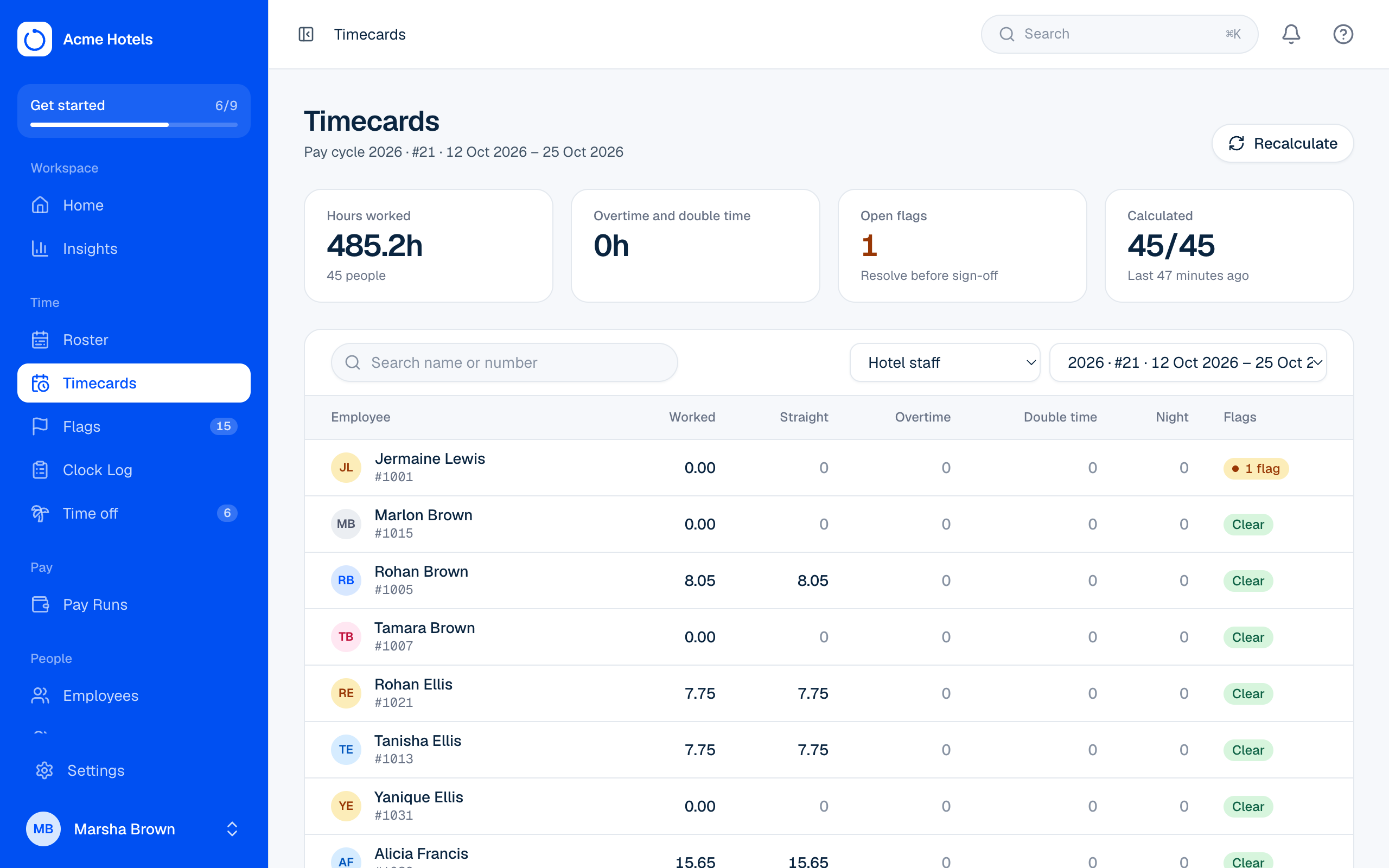
Timecards shows everyone's hours for a pay group and pay cycle: worked, straight, overtime, double time, night premium, and any open flags.
Punched and paid times
The In and Out columns show the times people are paid from. When that differs from when they actually punched, the punched time is shown underneath in grey, for example 7:00 AM, punched 6:57 AM: early arrivals paid from the shift start, or a clock-out rounded to the nearest 15 minutes. Your Rulebook decides the rounding and grace.
Why these hours?
Open a timecard and choose a day. The drawer starts with a Punched / Paid from table for each shift, then explains, step by step, how that day's clock times became paid hours: the rounding, the break deducted, and where overtime started. Clock events can be fixed from the same drawer. Employees see the same punched and paid times in Me › Timecards.
Pay items
If you can see pay, the timecard also lists the cycle's pay items (allowances, bonuses and deductions), including recurring ones from the person's profile, with Add for a one-off. See Pay items.
Print a time card
Choose Print on a timecard for an A4 page with each day's punched and paid times, the hours, pay items and signature lines for the employee and supervisor. To print everyone's at once, use the Pay Run's Review totals step.
Recalculate
After changing the Rulebook or holidays, open cycles are worked out again on their own. Recalculate forces a whole cycle to be worked out again, with a progress bar.
Related guides
Still stuck? WhatsApp us.
Have your workspace address and the page you were on ready. With your permission we can look at it with you.