Rulebook and rates
Rounding, breaks, overtime and night premium, changed safely with drafts and a start date.
- Owners
- Admins
- Payroll
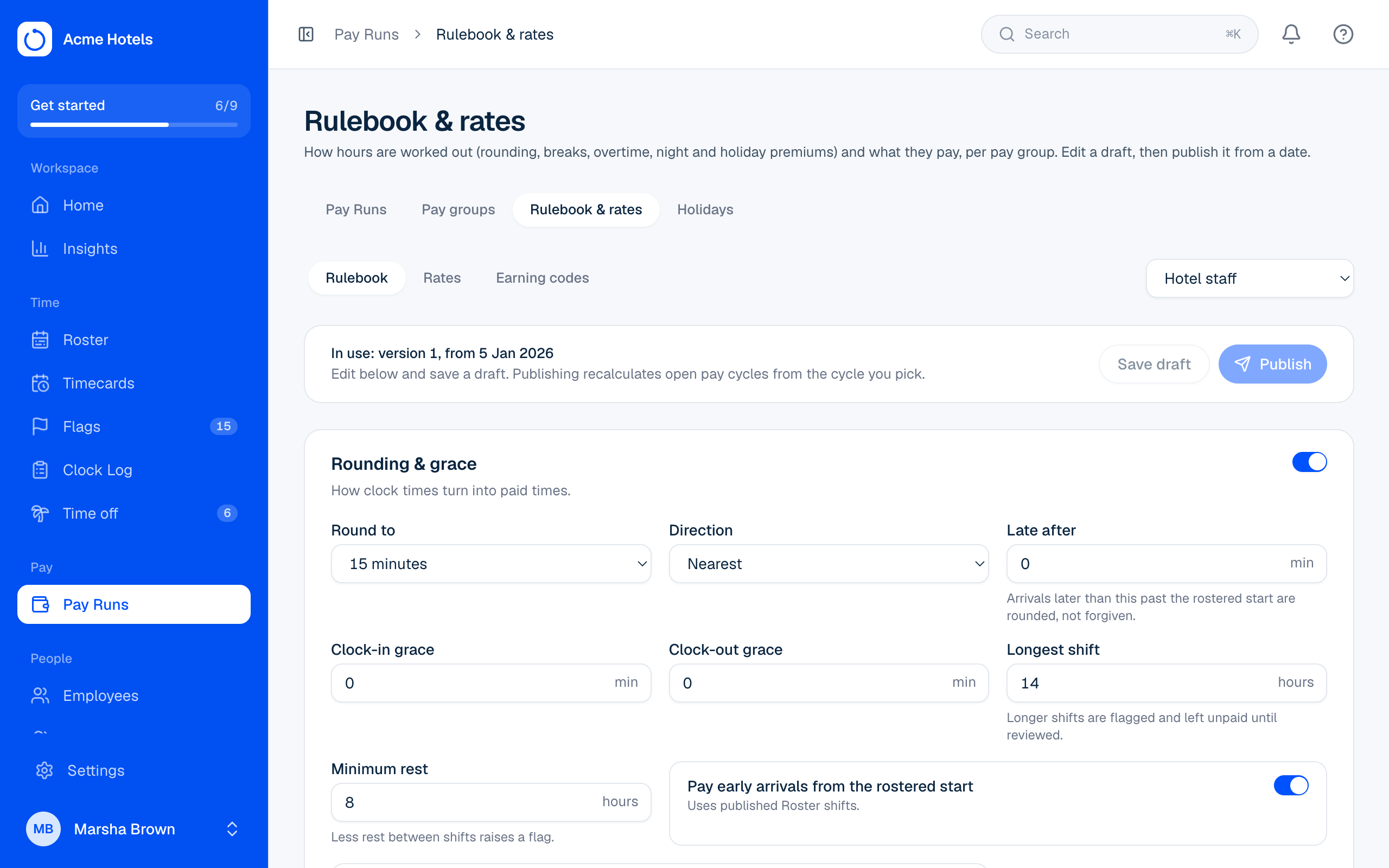
The Rulebook decides how clock times become paid hours. Rates decide what those hours cost. Each pay group has its own.
What's in the Rulebook
- Rounding and grace: round to 15 minutes, forgive early clock-ins, pay early arrivals from the rostered start.
- Breaks: automatic deductions, the minimum meal break, and missed-meal penalties.
- Overtime and holidays: weekly or daily overtime, double time, and holiday premiums.
- Night premium: the hours that count as night.
Change it safely
- Open Pay Runs › Rulebook & rates and pick the pay group.
- Change what you need. Your changes are a draft and nothing is affected yet.
- Choose Publish and pick the pay cycle it starts from. Open cycles from then on are worked out again. Closed cycles never change.
Tip: Rates only change amounts, never hours. Earning codes (the names your payroll system uses for each kind of hour) are on the same page, with pay item codes for allowances, bonuses and deductions (see Pay items).
Related guides
Timecards and "Why these hours?"Each person's hours for a pay cycle, explained day by day.Run a Pay RunClear flags, team sign-offs, review totals, close, and hand the file to payroll.Pay groups and pay cyclesHow often you pay, your currency and time zone, and how pay cycles are made.Pay items: allowances, bonuses and deductionsAdd money on top of hours, one-off or every cycle, and send it to payroll with the hours.
Still stuck? WhatsApp us.
Have your workspace address and the page you were on ready. With your permission we can look at it with you.