Pay groups and pay cycles
How often you pay, your currency and time zone, and how pay cycles are made.
- Owners
- Admins
- Payroll
A pay group is a set of people paid on the same schedule, for example "Hotel staff, every two weeks" and "Management, monthly".
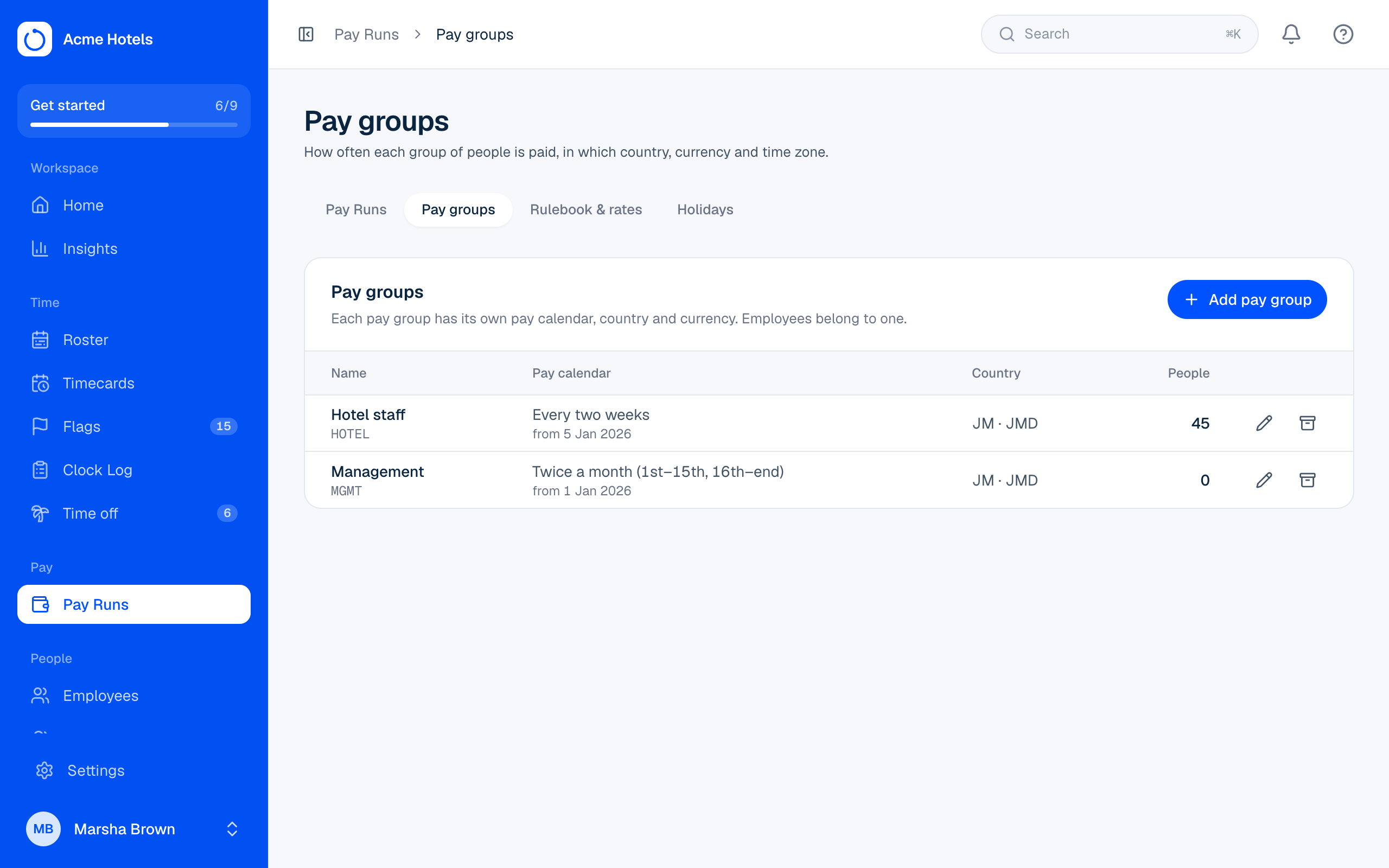
Add a pay group
- Open Pay Runs › Pay groups and choose Add pay group.
- Pick how often you pay (weekly, every two weeks, twice a month or monthly) and a date the cycle starts on.
- Choose the week's first day, the currency, and a time zone if it differs from the workspace's.
Ovrilo makes the pay cycles for you from then on. You never create them by hand. Each new pay group also gets a Rulebook and Rates for your country, so hours are worked out from day one.
Clocking in from Me
If your plan includes it, each pay group also sets whether its people can clock in from Me on a phone or computer:
- Not allowed: Clock Station only (the default).
- From anywhere.
- Only at chosen locations: pick the locations, and whether a punch elsewhere is allowed and flagged for review or not allowed.
Add locations first in Settings › Locations. One person can have a different rule on their profile. See Clock in from a phone or computer.
Moving people between pay groups
Change the pay group on the person's profile. Their open timecards are worked out again under the new group's rules.
Related guides
Still stuck? WhatsApp us.
Have your workspace address and the page you were on ready. With your permission we can look at it with you.