Flags
Problems to clear before payroll, like missing clock-outs, punches from outside your locations, and problems employees report.
- Owners
- Admins
- Team leads
A flag is something to check before a pay cycle closes. The count shows in the menu.
| Flag | What to do |
|---|---|
| Missing clock-out | Add the time they left, or the shift isn't paid |
| Clocked in twice | The first shift has no clock-out; add it |
| Shift too long | Confirm it was real, or fix the times |
| Short rest | Less rest between shifts than the Rulebook asks for |
| Missed meal break | A penalty may apply |
| Reported by the employee | They said something's wrong in Me; their words are shown |
| Punch arrived after its pay cycle closed | A time clock sent a punch late (it was offline). The closed cycle wasn't changed; decide with payroll whether to pay it now, then mark it OK |
| Clocked in outside the allowed locations | They used Me away from their locations. Each punch is listed with how far away it was; check it with them and fix the time in the Clock Log if needed |
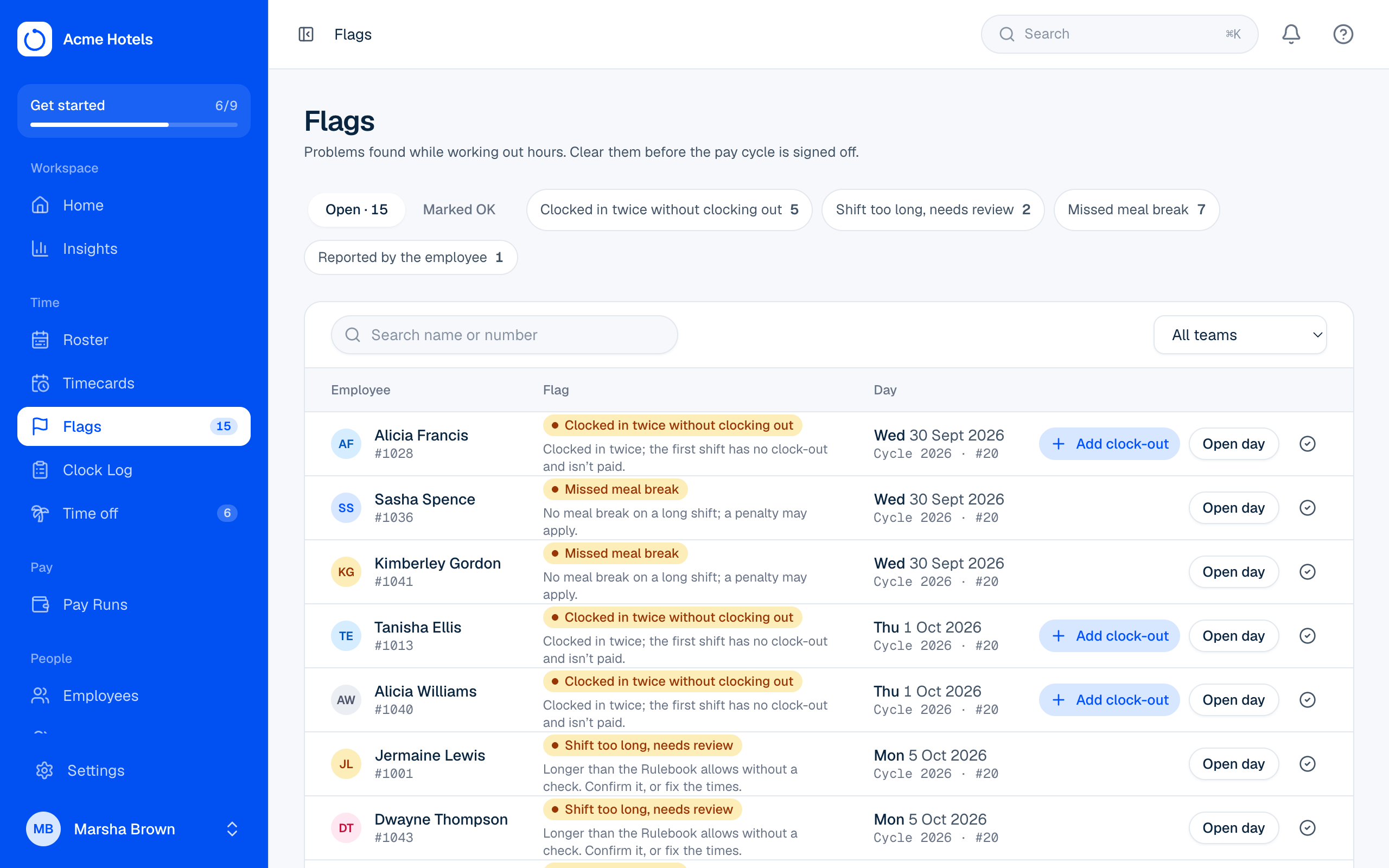
Clear a flag
From Flags: Add clock-out, Open day to fix it on the timecard, or Mark as OK with a note. A resolved flag can be reopened. A Pay Run can't close while a flag is open.
The last three flags are raised by people and punches, not by the hours, so recalculating a timecard never clears them; only Mark as OK does. See Clock in from a phone or computer for how outside punches are flagged or refused.
Related guides
The Clock Log, and fixing a punchEvery clock event, and how to add, edit or remove one with a reason.Timecards and "Why these hours?"Each person's hours for a pay cycle, explained day by day.Run a Pay RunClear flags, team sign-offs, review totals, close, and hand the file to payroll.Clock in from a phone or computerLet people clock in from Me, anywhere or only at your locations, and review the ones that weren't.Time clocks and the connectorConnect fingerprint, face or card clocks of any brand, match badges, and know when a clock goes quiet.
Still stuck? WhatsApp us.
Have your workspace address and the page you were on ready. With your permission we can look at it with you.