Using Me
Your hours, time off, roster and profile, on your phone.
- Employees
- Team leads
- Admins
- Owners
- Payroll
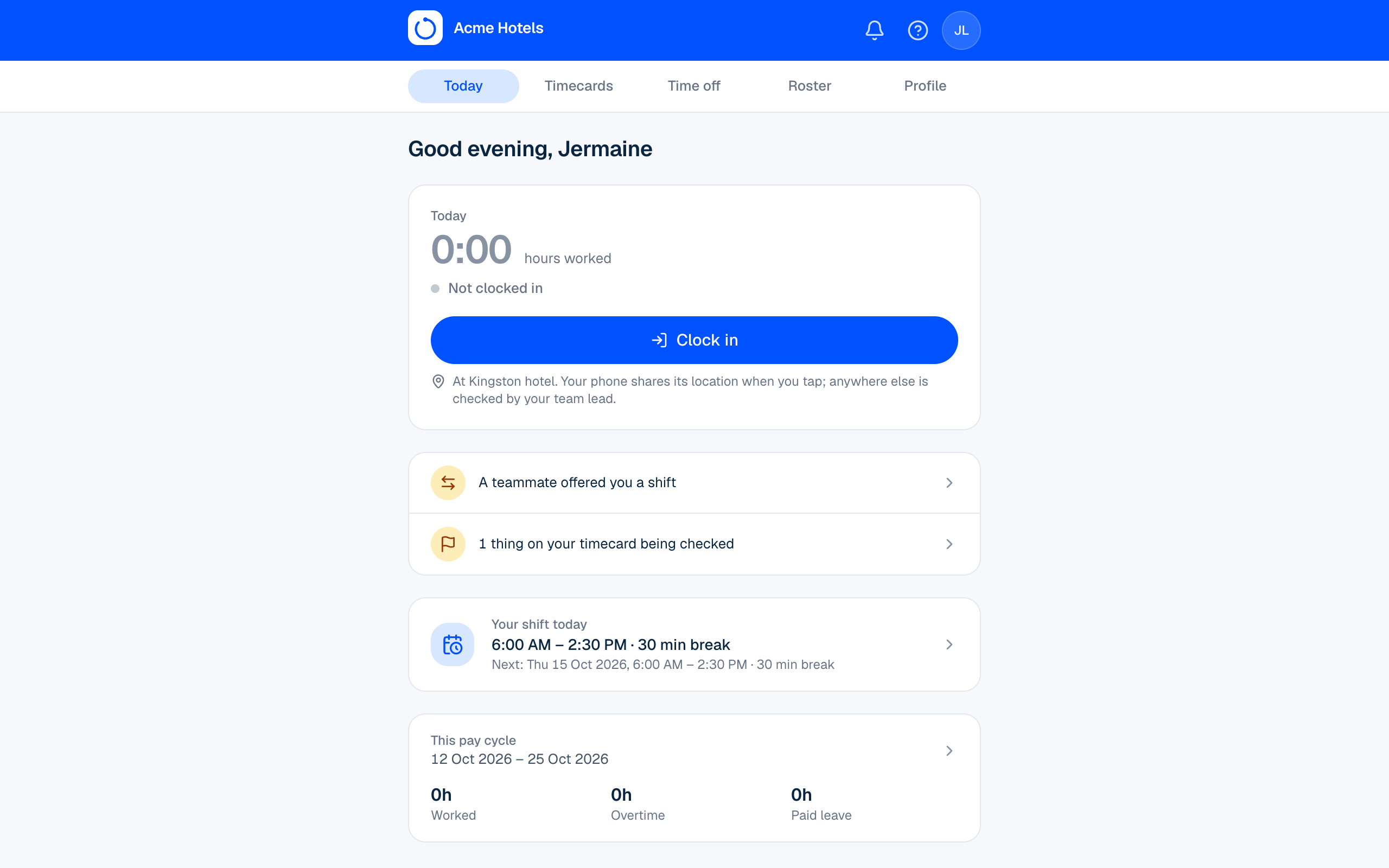
Me is your own page. Open your workspace address on your phone and sign in with your email or employee number.
| Tab | What you can do |
|---|---|
| Today | See your hours so far, today's and the next shift, anything waiting on you, and your team's birthdays and work anniversaries |
| Timecards | See every day of your pay cycle, and report a problem |
| Time off | See your balances and what you'll have by the end of the year, ask for time off, attach a photo or PDF such as a medical certificate (when you ask, or later), and withdraw a request still waiting |
| Roster | See your shifts for four weeks, offer a shift to a teammate, accept or decline offers |
| Profile | Keep your phone and emergency contact up to date, change your PIN, your password, how dates and times look, which notifications reach you by email or browser, and whether your birthday shows in your team's celebrations |
The bell at the top shows decisions on your time off and swaps, swap offers from teammates, and your roster when it's published or changes. See Notifications.
Clock in and out at the Clock Station, or from Me › Today if your workplace allows it (see Clock in from a phone or computer).
Related guides
Report a problem with your hoursForgot to clock out? Tell your team lead from your timecard.Clock Station PINsHow people get a PIN, how they change it, and what to do when one is forgotten.Sign in and find your workspaceEach company has its own address. How to sign in with your email or employee number.Notifications: the bell, email and browser alertsWhere requests, decisions and roster updates reach you, and how to choose.
Still stuck? WhatsApp us.
Have your workspace address and the page you were on ready. With your permission we can look at it with you.