Home: what needs you today
The cards on Home, who sees what, and turning birthdays on or off.
- Owners
- Admins
- Payroll
- Team leads
Home is the first page you see after signing in. It only shows the people you can see: owners and admins see everyone, payroll sees their pay groups, and team leads see the teams they lead.
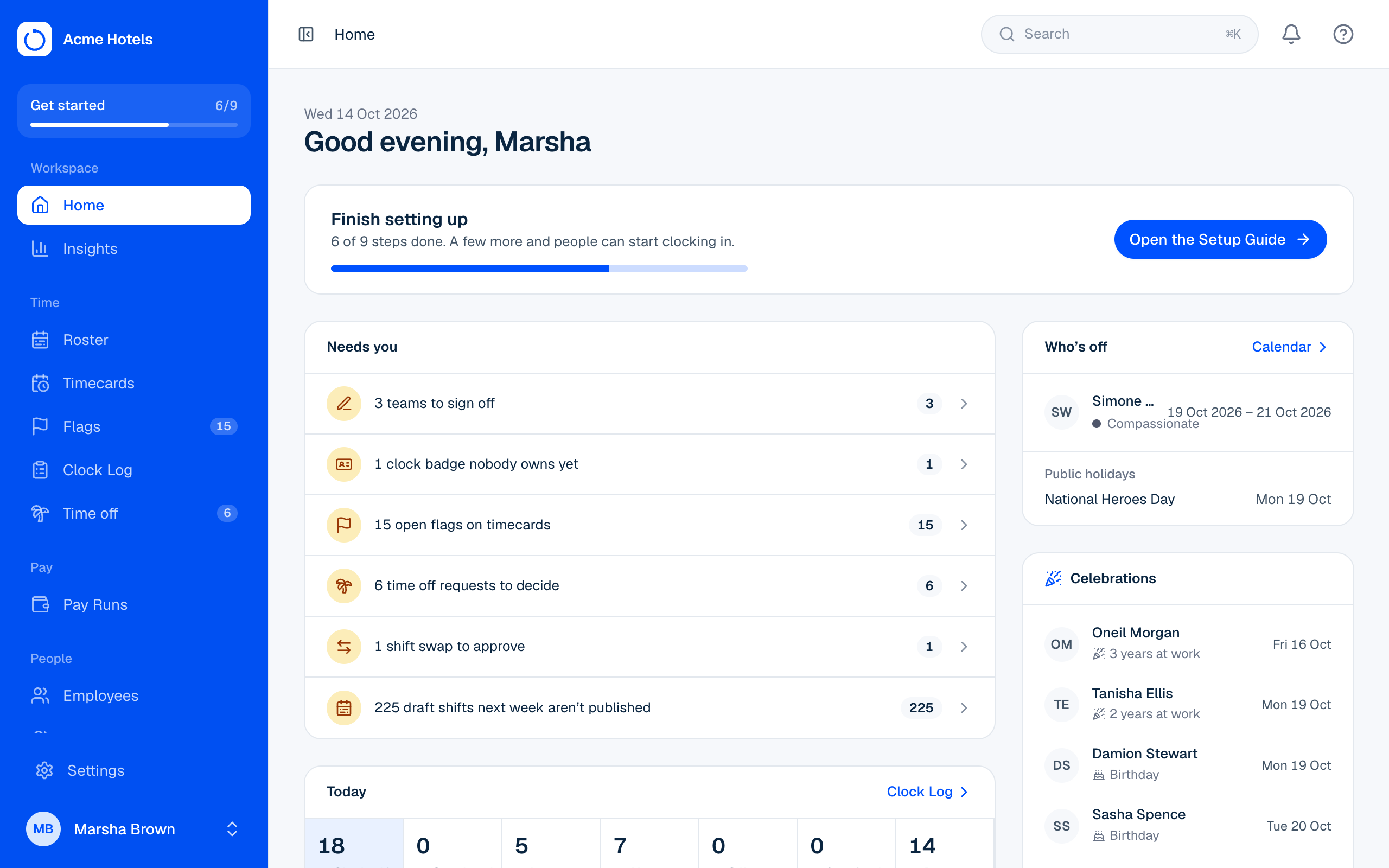
Needs you
A list of everything waiting on you, most urgent first: pay cycles ready to close, team sign-offs to accept or give, open flags, time off requests, shift swaps to approve, draft shifts for next week that aren't published yet, time clock connectors that stopped reporting, and clock badges nobody owns yet. Click a line to go straight there. When the list is empty, you're all caught up.
Today
Who's clocked in, on a break, late, absent, off, starting later and done, right now. Click a number to see the people.
- Late means their published shift started (after the tardy tolerance in your Rulebook) and they haven't clocked in.
- Absent means their shift ended and they never clocked in.
- Off means approved time off today.
- "Not on the roster" next to someone clocked in means they have no published shift today.
Underneath, This week so far counts late arrivals and absences since the start of the week; it opens the Punctuality report. Home refreshes these every minute while it's open.
This pay cycle
One card per pay group: days left, hours worked so far, overtime, and how this cycle compares with the last one up to yesterday. The small chart shows hours building up through the cycle, with last cycle in grey.
Who's off and celebrations
Who's off lists approved time off for the next 7 days and the next public holidays. Celebrations shows birthdays and work anniversaries in the next two weeks.
Birthdays only ever show the day and month, never the year or age. To turn birthdays off for the whole workspace, go to Settings › Workspace and untick Show birthdays on Home. Employees can hide their own birthday in Me › Profile. Add birthdays on each employee's profile, or with the birth_date column when you import employees.
Recent activity
Owners and admins see the latest changes from the Activity log, with a link to the full list.
Related guides
Still stuck? WhatsApp us.
Have your workspace address and the page you were on ready. With your permission we can look at it with you.