Approve time off
Waiting requests, the checks behind them, and adding time off for someone.
- Owners
- Admins
- Team leads
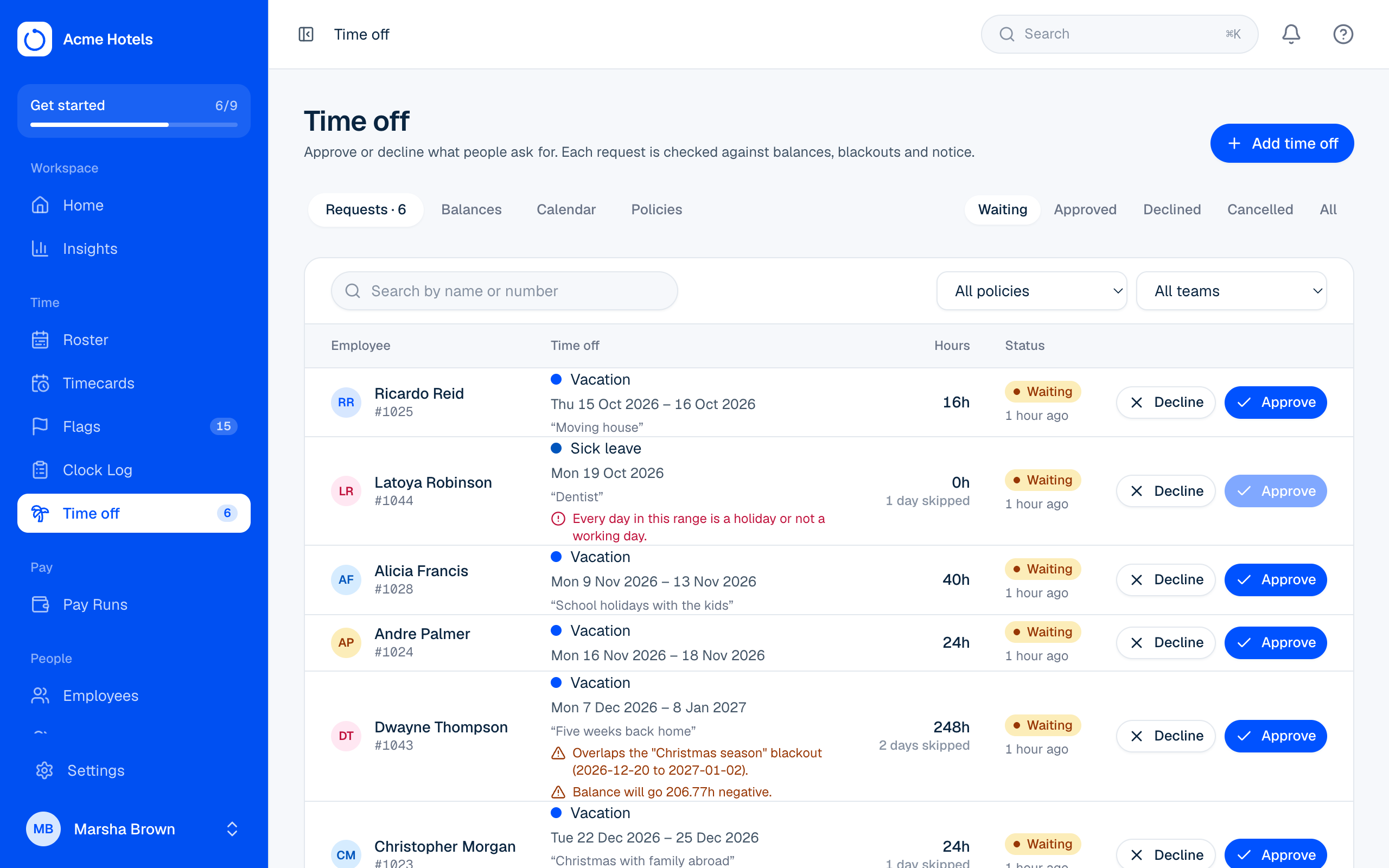
Requests from Me arrive in Time off › Requests, and the count shows in the menu.
Each request is checked against the balance, blackout dates, notice, and certificate rules. Problems in red must be fixed before approving. Amber ones are warnings.
- Approve: add a note if you like. The hours come off the balance and show on the timecard as paid leave.
- Decline: say why, so they know what to do next.
- Cancel approved time off: any hours used are given back, unless the pay cycle has closed.
Medical certificates and other files
When a policy needs a certificate (see Time off policies), the request says whether one is attached yet. People can attach up to three photos or PDFs when they ask in Me, or add them later while the request is waiting or approved. Open a file to view it; only the person, whoever added it, and those who can see their time off can open it. You can also attach a file yourself, for example a note handed in on paper.
Add time off for someone
Choose Add time off for a request made by phone or in person, attaching any files they gave you. You see the same checks live, then Save as waiting or Add and approve.
Related guides
Still stuck? WhatsApp us.
Have your workspace address and the page you were on ready. With your permission we can look at it with you.