Your plan, seats and invoices
What your package includes, how seats work, changing your plan, and paying invoices.
- Owners
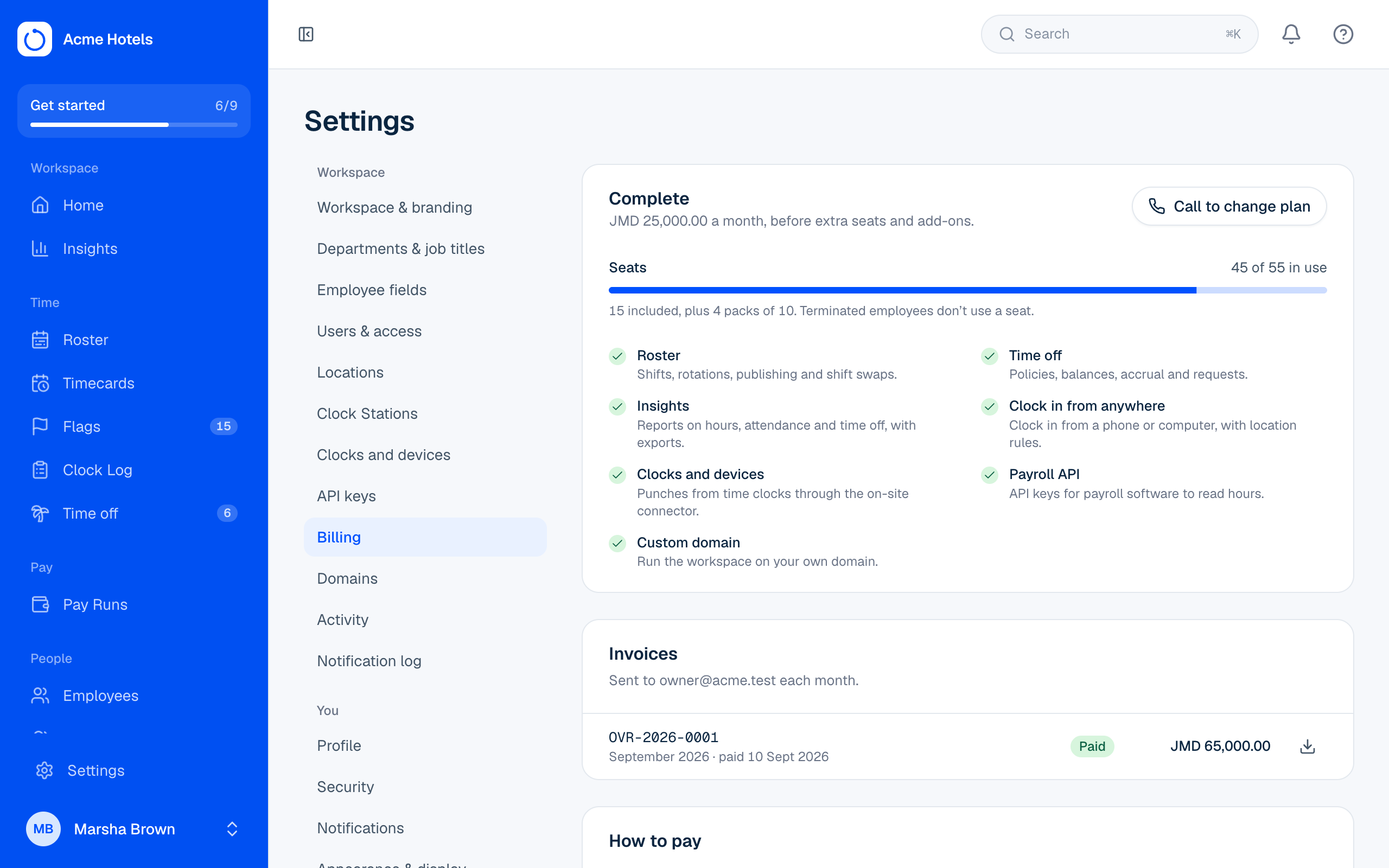
Everything about what you pay is in Settings › Billing, which only the workspace owner sees. Your workspace starts on the plan in the quote you accepted. To change it later, WhatsApp us (see Changing your plan).
Packages and modules
The Packages page shows what each package includes. Your prices are in the quote you accepted and on every invoice.
Every package includes people, Clock Stations, the Clock Log, timecards and flags, Pay Runs with payroll exports, Me for employees, Home, notifications and Help. On top of that:
| Package | Adds |
|---|---|
| Essentials | Time clocks (one included) |
| Professional | Roster (with shift swaps), Time off, clocking in from anywhere, and two time clocks |
| Complete | Everything, including Insights, the Payroll API, your own domain and four time clocks |
Each package also includes a number of people, and extra seats come in packs sized to the package. The Packages page shows both.
Modules not in your package can be added on their own. If someone opens a page for a module you don't have, they see what it does and who to ask, and it's hidden from the menus.
Seats
Each package includes a number of seats, and you can add more in packs. Every employee who isn't terminated uses a seat, including suspended ones. When all seats are used, adding, importing or reinstating someone is refused until you add seats; people keep clocking in as normal. A notice appears at the top of the page once 90% are used.
Changing your plan
To add seats or a module, move to another package, or drop something you don't use, WhatsApp us. The change is booked straight away and starts with your next invoice, so you're never charged twice in a month. Until then you keep your current plan, and Settings › Billing shows the change that's waiting.
A free trial
If we set your workspace up on a free trial, it runs on the Complete package. In the last week, owners and admins see a notice with the date it ends. If the trial ends before you choose a plan:
- staff pages are paused (you can still open Settings › Billing and Help);
- employees can keep using Me for 14 days;
- Clock Stations keep recording every punch, so nothing is lost.
WhatsApp us and everything opens again the same day.
Invoices and paying
Invoices are emailed to the owner (or a billing email we set for you) at the start of each month, with a PDF attached. They're also in Settings › Billing, with a download button. Pay by bank transfer, cheque or cash, and quote the invoice number each time (as the transfer reference, or on the back of the cheque). How to pay each way is on the invoice and on the billing page. We don't take cards.
If an invoice is more than a week overdue, the workspace pauses the same way as a finished trial, and opens again as soon as the payment is recorded.
Related guides
Still stuck? WhatsApp us.
Have your workspace address and the page you were on ready. With your permission we can look at it with you.