Insights
Hours, attendance, labour cost, time off liability, headcount and clock activity, with exports.
- Owners
- Admins
- Payroll
- Team leads
Insights has eight reports. Each has key numbers, a chart and a table from the same filters, so they always agree.
| Report | Shows |
|---|---|
| Hours & overtime | Straight, overtime, double time and paid leave, by week or day |
| Attendance | Shifts worked, late, missed or on leave, as a heatmap |
| Punctuality | Late arrivals, early departures and absences against the published roster, per person, with the on-time rate. Uses your Rulebook's grace period, so a minute late only counts if your grace is 0 |
| Missing punches | Forgotten clock-outs and double clock-ins: who, when, whether they're still open (and so unpaid), and who sorted them |
| Labour cost | What the hours cost by department: wages at each person's rate that day, overtime and double time at your Rates multipliers, night premium, paid leave, and pay items in cycles that end in the range. Salaries are spread evenly over the days. It's an estimate before deductions and employer contributions; the Pay Run is the record. Only people with pay access see it |
| Time-off liability | Unused paid time off and what it's worth at current rates |
| Headcount | People employed each month, starters and leavers, turnover |
| Clock activity | When people clock, from which station, and how many punches were edited. Times are in each person's pay group time zone |
Pick a date range, pay group and team, sort the table by any column, and Export to CSV, Excel or PDF. The PDF includes the chart. Team leads see only their teams, and amounts need pay access.
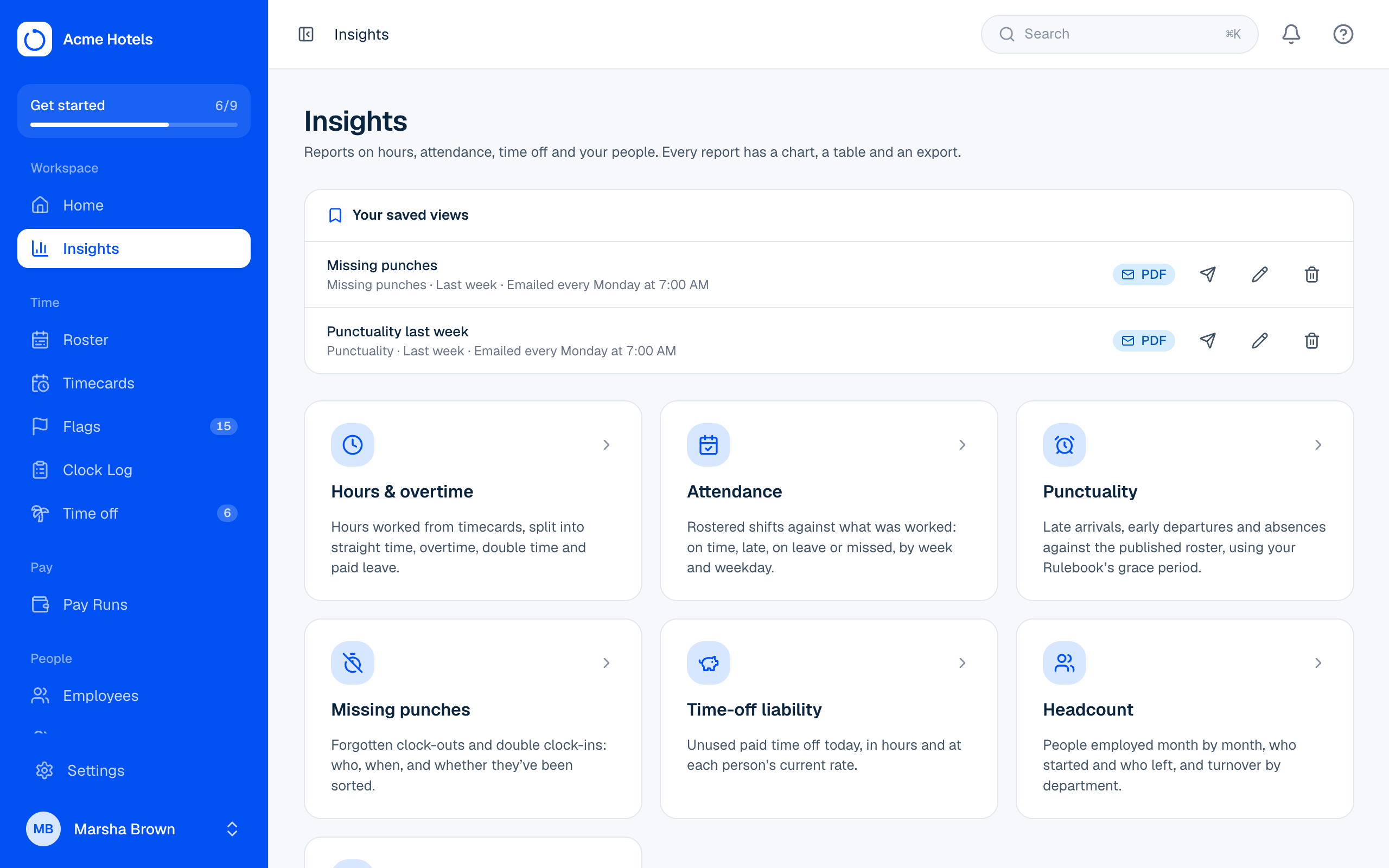
Saved views and emailed reports
Choose Save view on any report to keep its team and pay group filters with dates that move with today, such as last week or last month. Saved views appear at the top of Insights and on their report; only you see yours.
When you save a view you can also have it emailed to you every week or every month, at the hour you pick, as a PDF, Excel or CSV file, with the key numbers in the email. Use the send button to get one straight away and check it. You need a verified email address, and you'll only get reports you're still allowed to see.
Related guides
Still stuck? WhatsApp us.
Have your workspace address and the page you were on ready. With your permission we can look at it with you.